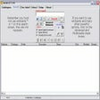
Monitor global online webcams, capture screenshots, and chat with users through a simple interface
Monitor global online webcams, capture screenshots, and chat with users through a simple interface
Vote (5 votes)
Program license Free
Developer Xrmx
Version 1.0
Works under Windows
Vote
(5 votes)
Developer
Xrmx
Works under
Windows
Program license
Free
Version
1.0
Pros
- Lightweight and efficient
- Customizable webcam list
- Easy image capture and organization
- Pre-loaded with global webcam locations
Cons
- Outdated user interface
- Limited image and video quality
- Lacks advanced surveillance features
- Minimal customization of display options
Monitor live webcam feeds from around the world with this lightweight viewer.
Overview
Web Cam Viewer for Windows is a compact utility designed for users who want to access and monitor public webcams across the globe. Targeted at those interested in exploring live scenes from different locations, staying connected with family and friends, or experimenting with basic webcam surveillance, this program delivers straightforward functionality without overwhelming the user.
Features
Global Webcam Access
Web Cam Viewer provides users with a pre-loaded selection of webcam locations worldwide. Whether you’re curious about the weather in another city or just want to watch scenes unfold in various countries, this feature offers a unique window into different environments.
Customizable Camera List
The app allows users to edit the existing list of cameras and add personal webcam links. This functionality is especially useful for those wanting to monitor their own cameras or frequently return to specific public feeds.
Image Capture and Storage
Capturing snapshots from any connected webcam feed is quick and accessible. Users can save these images locally, with options to customize file names and timestamps. Time-stamping is detailed, broken down to hours, minutes, and seconds, and users can choose preferred separator styles for file organization.
Updateable Camera Directories
Web Cam Viewer supports updating its list of available webcam locations, ensuring the ability to discover new or currently active feeds.
User Interface and Experience
Web Cam Viewer adopts a minimalist design, with a user interface reminiscent of earlier versions of Windows software. Navigation is simple, with direct access to adding or editing camera feeds and saving captured images. The layout is utilitarian, prioritizing function over aesthetics, which can make the experience feel a bit dated by modern standards.
Performance
Resource demands are low, requiring minimal disk space and making the app suitable for even older systems. Startup and operation remain quick and responsive, although the image quality is limited by the source webcams and the software’s modest processing capabilities. Most feeds are displayed in standard resolution and lack options for enhancements or advanced controls like pan or zoom.
Limitations
Web Cam Viewer does not include features found in more advanced webcam utilities, such as automated surveillance, motion detection, or high-definition video streaming. The interface, while accessible, appears outdated and may not appeal to users seeking a modern or visually refined tool. Video quality is heavily dependent on the original camera feeds and does not match contemporary standards for video chat or surveillance.
Conclusion
Web Cam Viewer offers a straightforward solution for exploring and monitoring webcams from around the world. Its lightweight nature and customizable camera list make it a convenient tool for basic viewing needs. However, users seeking a polished appearance or advanced features may find it lacking compared to newer alternatives.
Pros
- Lightweight and efficient
- Customizable webcam list
- Easy image capture and organization
- Pre-loaded with global webcam locations
Cons
- Outdated user interface
- Limited image and video quality
- Lacks advanced surveillance features
- Minimal customization of display options